
The Samsung Frame TV has revolutionized how we integrate technology into our living spaces, seamlessly blending a high-definition screen with captivating art. For years, this innovative device has transformed my own home, effortlessly shifting between entertainment hub and a gallery-worthy display. My journey with the Samsung Frame TV began in 2018, and I’ve cherished its ability to elevate my decor. However, like many owners, I eventually sought more personalized and dynamic artwork than what came pre-loaded or was available through standard subscriptions.
This desire led me to create my own collection of Samsung Frame TV Art, deeply inspired by the breathtaking beauty of Lake Superior. I’m thrilled to finally launch this collection, featuring a series of stunning aerial photographs, serene lake scenes, and unique digital artwork, all perfectly sized for your Frame TV and available for immediate download in my shop. Explore the full collection here. While more digital art formats will be added soon, I prioritized Frame TV art because I truly believe in displaying cherished memories and unique creations on my own Samsung Frame TV.
I shared an unsponsored review of my Samsung Frame TV back in 2018, and despite minor updates, my satisfaction remains high. Yet, after years of use, I found myself longing for fresh, personal art beyond the factory defaults. Unwilling to commit to an art subscription, I embarked on creating my own Frame TV masterpieces. This journey began with editing and uploading our captivating aerial photos of frozen Lake Superior. The unique “glow” in these images, often illuminated by a setting sun on layers of ice, came alive beautifully when backlit by the Frame TV. This success inspired me to expand, incorporating other aerial photography, my personal lake photos, and even digital versions of my vibrant alcohol ink art. The possibilities for personalization are truly endless, and I’m excited to share how you can achieve a similarly stunning effect in your own home.

Discovering the Perfect Art for Your Samsung Frame TV
Choosing the right artwork is crucial for maximizing the Samsung Frame TV’s unique capabilities. While beauty is inherently subjective, a common observation online is that the Frame TV’s subtle glow can sometimes make art appear less like a genuine painting and more like a monitor screen. This perception is valid; even when I first reviewed my TV in 2018, I noted this slight underwhelming aspect. While settings can be adjusted, some traditional artworks indeed struggle to look authentic without the right approach.
Understanding the “Glow” Effect
The Samsung Frame TV is designed to mimic real art, but its backlit screen introduces a characteristic “glow” that sets it apart from actual canvas or framed prints. Rather than trying to eliminate this, the secret to truly stunning Frame TV art lies in selecting or creating pieces that are *enhanced* by this luminescence. The latest models may offer improved display technologies, but the fundamental principle remains: choose art that harmonizes with, rather than fights against, the screen’s inherent radiance.
Choosing Art That Shines: Styles That Work Best
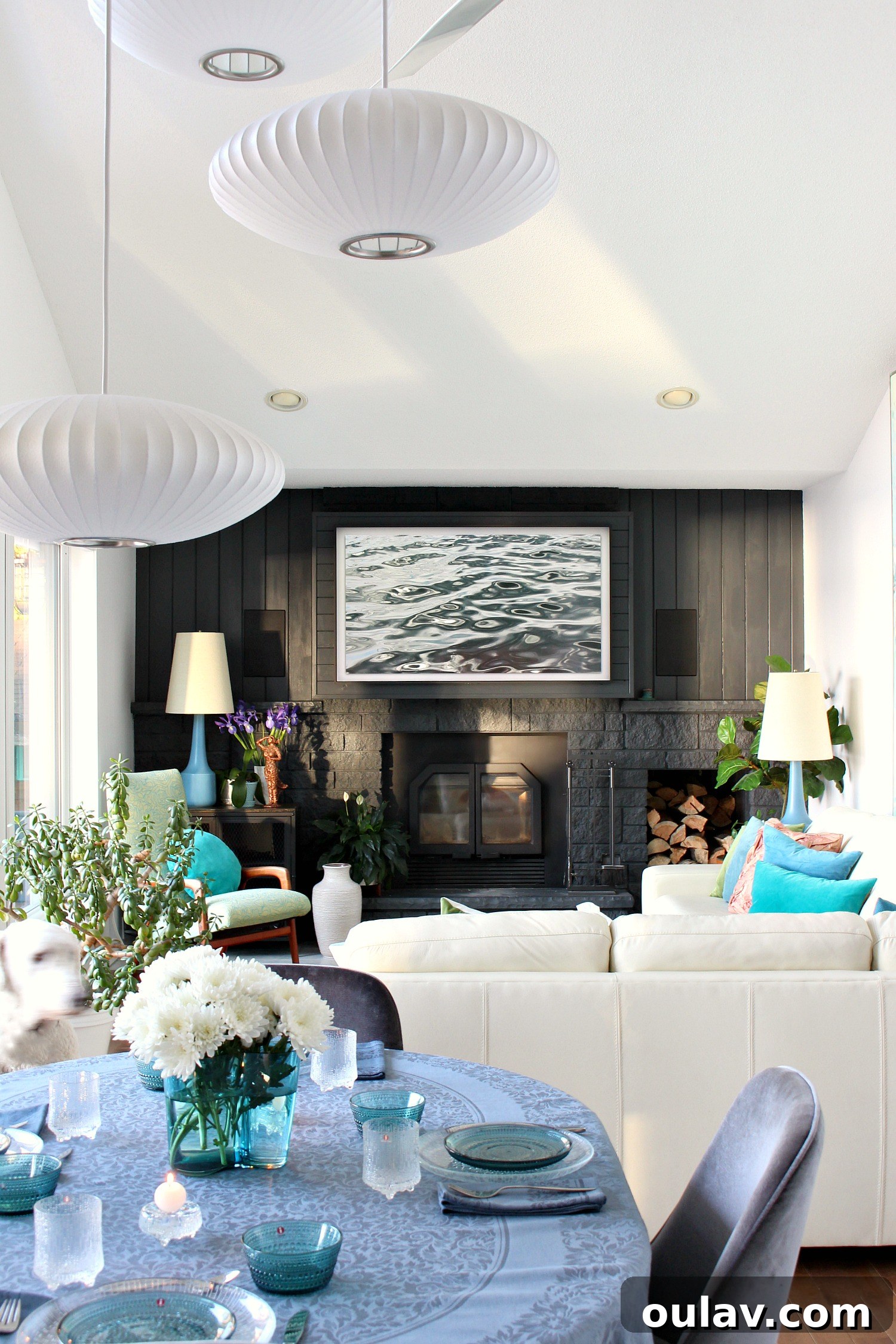
In my experience, the most impactful Samsung Frame TV art is that which works *with* the screen’s glow, becoming even more beautiful when displayed. This is why my aerial photography of Lake Superior excels. The natural glow captured in the photos – for instance, a setting sun illuminating layers of frozen ice – is only intensified and made more ethereal when backlit by the Frame TV. I’ve had these specific photos printed on metallic paper, which similarly complements the intrinsic luminosity of aerial ice photography. This same principle applies to my alcohol ink art on yupo paper: the original physical pieces possess a natural “glow” and luminescence that the TV art mode beautifully amplifies.
Therefore, whether you’re creating your own digital art or selecting pieces from a curated collection, prioritize artwork with a luminescent quality. Look for images that feature some kind of natural glow, a soft atmospheric quality, ethereal light sources, or vibrant, translucent colors. These elements will be brought out and celebrated by the Frame TV’s display, transforming your television into a captivating focal point that truly embodies the spirit of an art piece.
Exclusive Lake Superior Art Collection for Your Frame TV
Inspired by the stunning landscapes and serene moments of Lake Superior, my new collection of Frame TV art offers a unique blend of nature’s majesty and artistic interpretation. This collection features a diverse range of themes, from the dramatic aerial views of frozen lake surfaces, where sunlight creates a mesmerizing glow on ice formations, to tranquil shorelines bathed in the soft hues of dawn and dusk. Each piece is meticulously captured and edited to ensure that it not only fits the precise dimensions of your Samsung Frame TV but also maximizes the display’s “glow” effect, making the art truly come alive in your home.
Beyond the captivating photography, the collection also includes digital versions of my distinctive alcohol ink art. These pieces, characterized by their vibrant colors and organic flow, translate beautifully to the Frame TV, with the screen enhancing their inherent luminescence and depth. Whether you seek to bring the calming presence of the lake into your living room or add a touch of abstract elegance, this collection offers unique, high-quality digital downloads designed to transform your Frame TV into a personal gallery. All pieces are available for instant download and are perfectly optimized for a seamless display experience.
You can explore the entire collection of Lake Superior inspired Frame TV art directly in my online shop. Each purchase grants you immediate access to files that will turn your Frame TV into a window to the majestic beauty of the Great Lakes.
Unlock Your Creativity: How to Get Free Samsung Frame TV Art
The beauty of the Samsung Frame TV isn’t just in displaying curated collections; it’s also a fantastic canvas for your own creativity! You can easily make your own FREE Samsung Frame TV art by uploading your personal photos. This allows for unparalleled personalization, transforming your TV into a dynamic photo album or a showcase for your photographic talent.
Becoming Your Own Frame TV Artist
If you’re looking to capture stunning photos specifically for your Frame TV, consider these tips. First, a tripod is highly recommended to ensure crisp, blur-free images, especially in lower light conditions or when trying to achieve intricate details. Pay attention to lighting and composition, as these elements can dramatically impact how a photo appears on the backlit screen. Golden hour photography, with its soft, warm light, often produces images that beautifully leverage the Frame TV’s glow. Experiment with leading lines, the rule of thirds, and foreground interest to create visually engaging compositions.
Regarding subject matter, you simply cannot go wrong with nature photography. Lush flowers, serene water scenes, dramatic skies, and sweeping landscapes all look incredibly beautiful when displayed on the Frame TV. Their natural depth and variety of light sources often interact wonderfully with the screen’s luminescence. For an added artistic touch, consider converting your photos to black and white. This classic aesthetic can instantly lend a sophisticated, timeless feel to any image, highlighting textures and contrasts in a captivating way.
Essential Photo Editing for Frame TV
While the vibrant colors in my personal photos are often thanks to nature itself, a little editing can go a long way in optimizing your images for the Frame TV. I use Lightroom for light adjustments, but there are numerous excellent free options available online and as mobile apps. Tools like Google Photos, Snapseed (mobile), Canva, or even GIMP (desktop) offer robust features for basic photo enhancements. Focus on adjustments like brightness, contrast, and color saturation to make your images pop. You can also fine-tune white balance to ensure colors appear true to life on screen. Ensure your final images are saved in common formats like JPEG or PNG for compatibility.
Technical Essentials: Optimal Picture Size for Samsung Frame TV
For the absolute best display quality and to ensure your digital art fills the screen perfectly without any unsightly black bars, it’s crucial to size your photos correctly. The ideal picture size for displaying art on a Samsung Frame TV is 3840 x 2160 pixels. This specific resolution corresponds to a 16:9 aspect ratio, which is the native aspect ratio of the Frame TV screen.
Understanding why this is important can help you avoid common issues. If your image has a different aspect ratio, the Frame TV will often add black bars to the sides or top and bottom to make it fit, detracting from the illusion of a framed artwork. Images with lower resolutions will appear pixelated or blurry, while excessively large files might take longer to upload or process. Therefore, always aim for 3840 x 2160 pixels to achieve the crispest, most immersive, and truly gallery-like display for your Samsung Frame TV art.
Seamless Display: How to Upload Art to Your Samsung Frame TV
Once you have your chosen piece of art – whether purchased as a digital download or created and perfectly sized by you – the next step is to display it on your Frame TV. Samsung offers a couple of intuitive methods to get your personalized artwork onto the screen. Below, we’ll cover the two primary ways: using a USB drive or leveraging the Samsung SmartThings app. The exact steps may vary slightly depending on your Frame TV’s model year, but the general process remains straightforward.
Method 1: Uploading Art via USB Drive
This is a reliable and straightforward method, especially if you have a collection of art files ready to go. Follow these steps to upload your digital art using a USB drive:
- Prepare Your USB Drive: Load your digital art files (ensure they are 3840 x 2160 pixels for optimal display) onto a USB flash drive. It’s often helpful to organize them into a dedicated folder on the drive.
- Connect to the One Connect Box: Locate the One Connect Box that accompanies your Samsung Frame TV. This box typically has several ports, including one or more USB ports. Plug your USB drive into an available USB port.
- Access USB Content on TV: Depending on the year and model of your Samsung Frame TV, a screen showing the drive’s contents might automatically appear. If it doesn’t, press the Home Button on your remote control.
- Navigate to Art Mode: From the Home screen, scroll left until you find and select the Art app.
- Select USB Disk: Within the Art app, scroll down until you see the “My Collection” menu. On the right side, you should see an option for “USB Disk” or “USB Drive.” Select it to view the contents of your flash drive.
- Select and Save Images: You will now see your loaded artwork. Select “Options” at the top of the screen (or similar menu icon) and check the images you wish to save to your TV’s internal memory.
- Save to My Photos: Scroll up or find the “Save to My Photos” option and click it. This transfers the selected art from your USB drive to your Frame TV’s permanent art collection.
- Adjust Display Settings: Once saved, you can now select your desired artwork from “My Photos.” From here, you’ll have options to adjust various display settings, such as adding a mat (a digital frame around the art), tweaking brightness, color tone, and more, to perfectly match your room’s ambiance.
Method 2: Using the Samsung SmartThings App
For Frame TV models from 2018 or newer, the Samsung SmartThings app offers a convenient way to manage and upload your art wirelessly from your smartphone or tablet. If you own a Samsung phone, the app might already be pre-installed. For other Android or iOS devices, simply open your device’s Play Store or App Store and search for “SmartThings” to download and install it.
Once the app is installed and you’re ready to upload your art:
- Open SmartThings App: Launch the SmartThings app on your mobile device.
- Add Your TV: Select “Devices” from the app’s main menu, then tap “Add device” (or the “+” icon, then “Add device”). Follow the on-screen prompts to register your Frame TV with SmartThings. Using “Scan for nearby devices” is often the easiest method.
- Select Art Mode: Once your TV is successfully registered and connected within SmartThings, navigate to your TV’s device page in the app and select “Art Mode.”
- Add Your Photos: In Art Mode, tap “Add Your Photos +” (or a similar option) to access your device’s photo gallery. Select the photos you wish to upload and save to your Frame TV.
- Save to The Frame: After selecting your desired photos, tap “Save on The Frame” in the bottom right corner of the app screen. This will wirelessly transfer the images to your TV.
- Choose Display Photo: Finally, you will be presented with the option to select which of your uploaded photos you want currently displayed on your Frame TV. You can also make further adjustments to the mat style, brightness, and color settings directly from the app.
The SmartThings app provides excellent flexibility, allowing you to change your Frame TV art remotely, schedule art rotations, and fine-tune settings from the convenience of your phone.
Maximizing Your Frame TV Art Experience
To truly get the most out of your Samsung Frame TV, consider these additional tips. Regularly rotate your artwork to keep your space feeling fresh and dynamic. Experiment with different matting options available on the TV; a simple change in the mat color or style can dramatically alter how an artwork is perceived. Calibrate your TV’s brightness and color temperature to match your room’s ambient light conditions, ensuring the art looks realistic at all times of the day. Finally, a clean screen is essential for immaculate art display, so gently wipe your Frame TV screen with a microfiber cloth as needed.
Elevate Your Home with Personalized Frame TV Art
The Samsung Frame TV is more than just a television; it’s a powerful tool for personal expression and an integral part of your home decor. By understanding how to select, create, and upload the perfect digital art, you can transform your living space into a dynamic gallery that reflects your unique style and passions. Whether you choose to explore curated collections like my Lake Superior inspired art, or embark on your own creative journey by uploading personal photographs, the possibilities are limitless. Embrace the synergy of technology and art, and let your Samsung Frame TV become a truly captivating centerpiece in your home.
P.S. Don’t Forget to Pin for Later!
If you found this guide helpful, please consider saving it to your favorite Pinterest board so you can easily reference it whenever you’re ready to update your Samsung Frame TV art!